pts talk request list display
The enquiry displays the output that is selected by the forgoing options in an expandable / collapsible tree. In this example the talks are sorted by talk number.
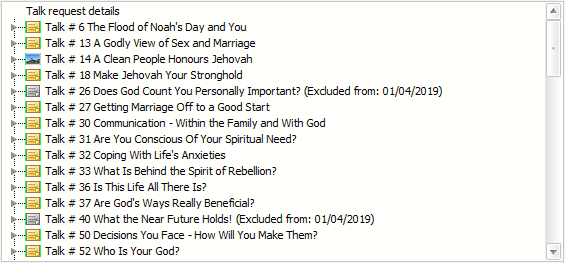
The tree includes the following information for each talk:
- Icon indicating if it has digital media or has been excluded
- Date on which the congregation last heard the talk
- Speakers from all congregations in your database giving the talk
- Optionally the talk history showing the speakers who have given the talk in the congregation and the dates on which they did with the most recent first.
If you have speakers in your database who are marked as permanently unavailable, the displayed output will include the comment “Currently not available” against the names of those speakers.
The displayed output is updated in real time whenever you change any of the foregoing settings. As a result, there may a slight delay in displaying the revised output if you have a large database.
Expand All
Collapse All
The Expand All and Collapse All buttons expand or collapse the entire tree.
Expand Individual Branch
 You can expand an individual branch of the tree by clicking on the small symbol on the left. Similarly, you may collapse an individual branch by clicking on the same symbol again. You can expand an individual branch of the tree by clicking on the small symbol on the left. Similarly, you may collapse an individual branch by clicking on the same symbol again. |
|---|
The Speaker Popup Menu is displayed when you right-click on a speaker in the expanded drop-down list:  This menu provides information about the speaker's recent talk assignments. This menu provides information about the speaker's recent talk assignments.  Did you know that you can create a home talk assignment from here? Please click here for more details. Did you know that you can create a home talk assignment from here? Please click here for more details. |