pts meet time
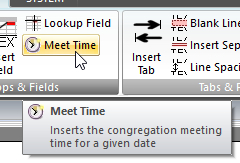 Click Meet Time on the CONTENT ribbon panel to display the Meet Time window. Read more: Command Syntax Click Meet Time on the CONTENT ribbon panel to display the Meet Time window. Read more: Command Syntax
|
|---|
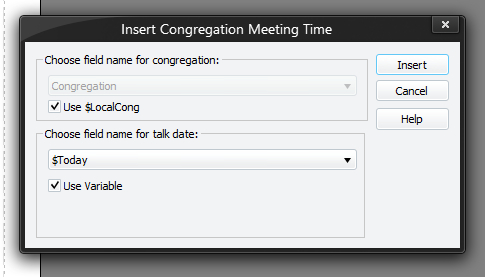
This is used to print the congregation meeting time on your report. Please view the sample scripts to see how to use this script command correctly. Since the result is a piece of text, it is affected by any FONT, COLOUR or ALIGN settings (and requires EOL to be issued to show on the screen / report).
You must press Insert (or Update if editing an existing command) for your changes to be applied to the current script in the editor.
Choose field name for congregation
Use the drop-down list to select the field (from the current row) that specifies the congregation.
The application will only display text type fields in the this drop-down list.
Use $LocalCong
If you want to use your own congregation, then you can simply set the Use $LocalCong option. Setting this option will disable the drop-down list of field names.
 At the moment, it is required that you call this command from inside an existing LOOP so that you can get access to the current row.
Choose field name for talk date
Use the drop-down list to select the field (from the current row) that specifies the meeting date.
The application will only display date type fields in the this drop-down list.
Use Variable
if appropriate, set the Use Variable option and select one of the predefined date variables:
- $Today
- $NextYear
- $NextTwoYears
Once you have specified these two items and pressed Insert or Update, the application takes the actual value of the congregation [field] and the date, and then works out what the correct meeting time would be for that date at that congregation.
If the date is in the past, it will just use the "current" meeting time for that congregation.