pts system ribbon panel
 |
|| --- |
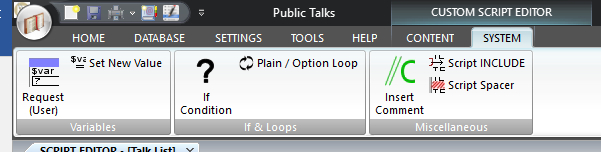
The SYSTEM panel is part of the Custom Script Editor. You can using this panel to insert new script commands into your custom script.
To learn more about the features of this ribbon panel, glance down the table below or highlight the control you are interested in by clicking on the screenshot above.
Used to make your scripts flexible. This introduces variables into your scripting, thus allowing you to get the user to provide details later on.
Used to make your scripts flexible. This introduces variables into your scripting. But these variables differ from the REQUIRE's command because they are only used internally within the script. No prompt is provided to the user asking for values.
Used to loop through a fixed set of values or number sequence.
Used to add comments into your script so that you can describe what your script is doing.
Used to include another script file at the selected location. This means you can re-use other script files and save on duplication.
- Script Spacer
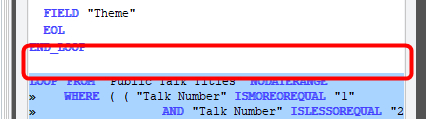 There are no options for this command. It has no effect on the actual report generated. It inserts a blank line into the script file (see example on the right).
Use script spaces to break up your script into sensible sections. It will help make your script file easier to read and understand. You can also insert a script space using CTRL + Space.