pts summary info
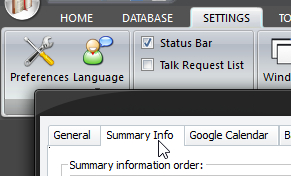 Click Preferences on the SETTINGS ribbon panel (or CTRL + T). Then select the Summary Info tab. Click Preferences on the SETTINGS ribbon panel (or CTRL + T). Then select the Summary Info tab. |
|---|
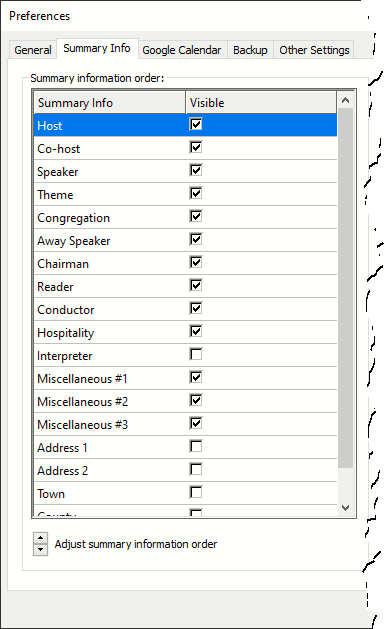 |
The summary information is displayed on the Home / Away Talks Maintenance window: 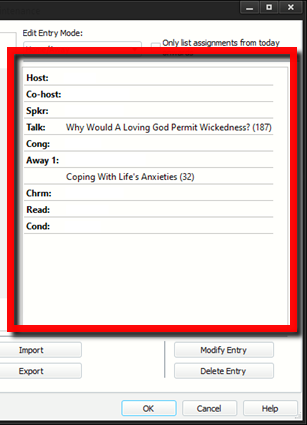 Use this list to adjust how the summary information is displayed. Check the appropriate boxes for the details that you want displayed. Note that the description of the three Miscellaneous assignments can changed on the labels option page. If you want to adjust the order in which the information is displayed, click on the row to highlight it, and then use the up / down arrows at the bottom to move the row accordingly. These settings will be remain until you change them. Use this list to adjust how the summary information is displayed. Check the appropriate boxes for the details that you want displayed. Note that the description of the three Miscellaneous assignments can changed on the labels option page. If you want to adjust the order in which the information is displayed, click on the row to highlight it, and then use the up / down arrows at the bottom to move the row accordingly. These settings will be remain until you change them. |
|---|