pts line spacing
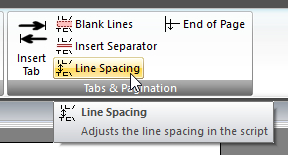 Click Line Spacing on the CONTENT ribbon panel to display the Line Spacing window. Read more: Command Syntax Click Line Spacing on the CONTENT ribbon panel to display the Line Spacing window. Read more: Command Syntax
|
|---|
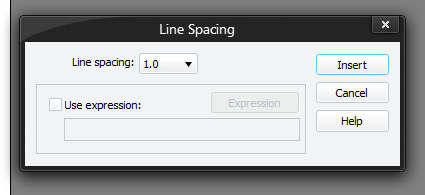
This alters the gap after each line of text. It's a bit like the BLANK command. You must press Insert (or Update if editing an existing command) for your changes to be applied to the current script in the editor.
Line Spacing
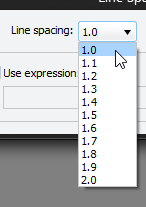 You can select a value from 1.0 up to 2.0. 1.0 means single line spacing and 2.0 means double line spacing (have a single blank between lines, as if BLANK had been issued in between each EOL). 1.x is between the two of course. Note that any BANNER colour will fill in the gaps left by such spacing, just as it does for BLANK. Note that line spacing does not affect separators - they always have the same height. You can select a value from 1.0 up to 2.0. 1.0 means single line spacing and 2.0 means double line spacing (have a single blank between lines, as if BLANK had been issued in between each EOL). 1.x is between the two of course. Note that any BANNER colour will fill in the gaps left by such spacing, just as it does for BLANK. Note that line spacing does not affect separators - they always have the same height. |
|---|
Use Expressions
Although you can select a value using the drop list, you can also use expressions to calculate a value. For example, if the brother generating the script wanted the page a little more widely spread in terms of lines, you could use something like this:
LINESPACING $iUserLineSpacing
(so the brother can enter a value between 1.0 and 2.0)