pts transfer to from another pc
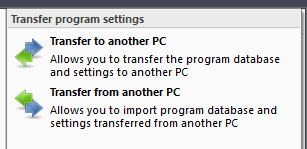 Click Transfer on the the Main application menu to display this menu. Click Transfer on the the Main application menu to display this menu. |
|---|
Use these features to transfer the program settings between two computers. This is achieved by creating a Transfer Archive zip file#8202;. This is what the transfer archive contains:
- The main program database (either in ACCDB or MDB format).
- Any custom report scripts that you are using.
- Registry settings
 It should be understood that this facility transfers the settings across to another PC. It does not merge the settings. When you restore the archive onto the target PC, the database will be replaced, as will the custom reports and registry settings.
Below you can find more information about the transfer facility:
Select this menu item when you want to create a transfer archive. You can then use this archive on another PC and restore the program settings there. When you select the menu item, it displays the usual file selection window for you to specify a new transfer archive:
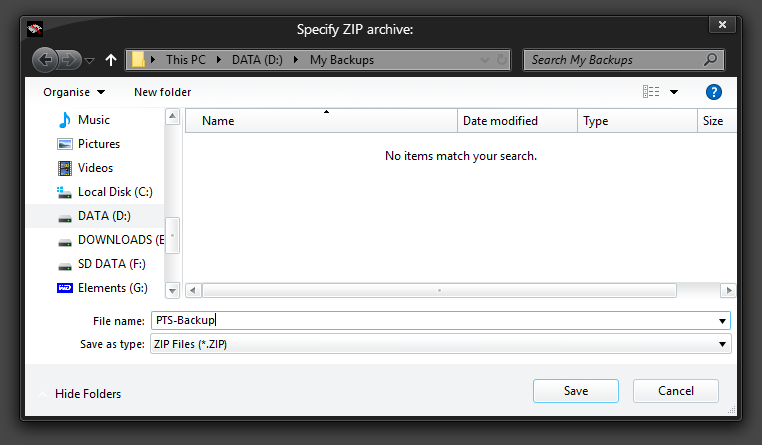
Make sure you know where you are saving it, because you will have to then copy that file onto a CD, or email it, or use whatever means available to you to get it from your PC across to the other one. The easiest way would be to save the archive directly onto a USB drive or using something like DropBox.
You will be informed when the transfer archive has been created.
Use this menu item to restore the settings from an existing transfer archive.
The transfer archive must have been created by the Public Talks Software. You will find that it will not work with your own ZIP files.
When you select the menu item, you are shown the usual file window (see above screen shot) to select the transfer archive to restore.
You are then asked to confirm that you want to proceed with the transfer:
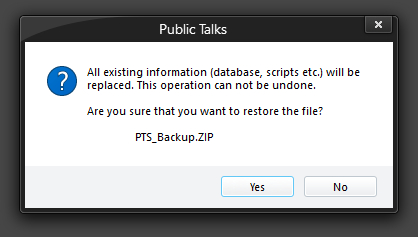
All replaced files are sent to the recycle bin during the transfer procedure. So whilst the operation can't be reversed, the legacy data files should still be available in the recycle bin.
When the archive has been restored, the program will need to close down and restart for the changes to the settings and database to take effect. You will be prompted about this, and it will all be done automatically for you.