Repository navigation
node array
< Previous: Chamfer | Next: Array: Directed >
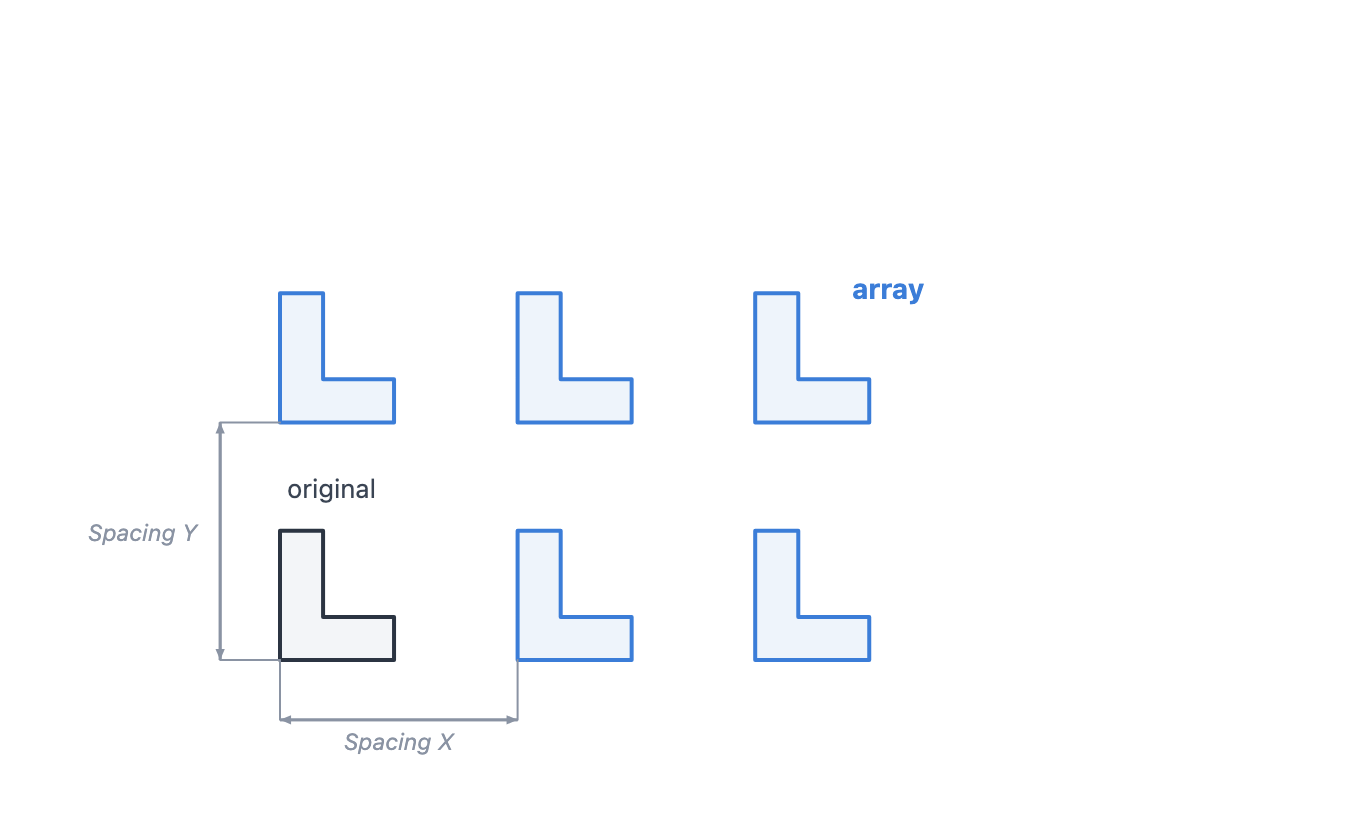
Copy geometry into a countX x countY grid at Spacing X / Y.
Category: Transform | Add menu: Transform > Array
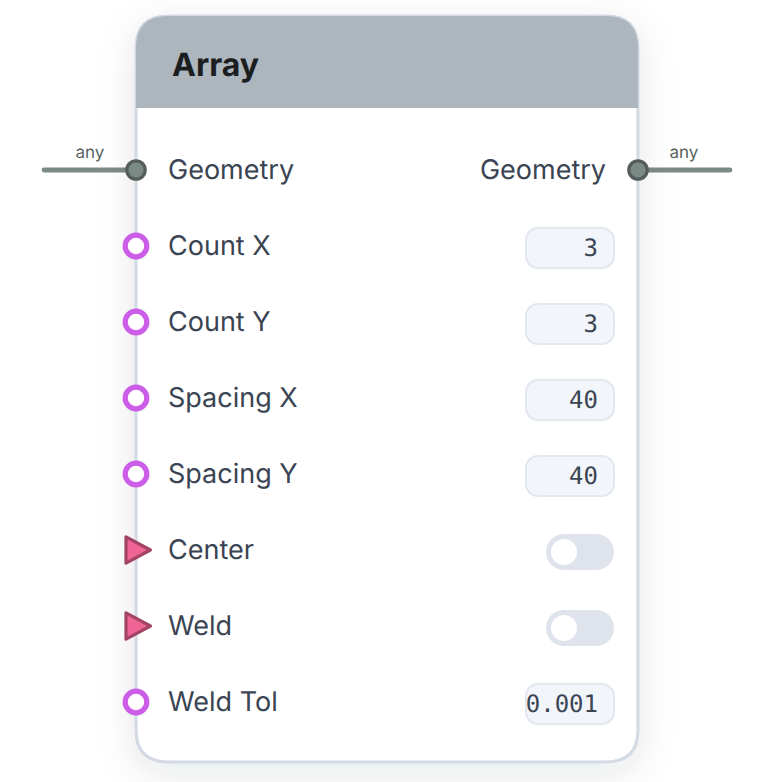
- Geometry (any): the shape to tile across the grid.
- Count X (number): number of columns.
- Count Y (number): number of rows.
- Spacing X (number): horizontal distance between cells, in mm.
- Spacing Y (number): vertical distance between cells, in mm.
- Center (on/off): off (default) grows the grid in one direction from the anchor; on centers the grid on the anchor.
- Weld (on/off): fuse touching copies into merged regions.
- Weld Tol (number): the distance tolerance for welding.
- Geometry (any): the grid of copies as a list, each cell its own group.
The workhorse for repeats. Count X and Count Y say how many, Spacing X and Y say how far apart, and each copy arrives as its own group so later nodes can treat cells separately.
Cells sit on a fixed grid rather than being numbered from wherever the block starts, so a given cell stays the same cell as you change the counts, and anything you built on it holds. The grid is capped at 250,000 cells.
< Previous: Chamfer | Next: Array: Directed >
Found a bug or have feedback? Open an issue | Docs home | Videos | Credits
Getting Started
- Welcome
- How Locus came to be
- Videos
- Community & support
- Installing & launching
- Licensing & activation
- Beta License Agreement
- Core concepts
- Interface tour
- Your first pattern
Modeling - Drawing
- Canvas basics
- Points
- Typing coordinates
- Lines, rays & segments
- Circles & arcs
- Ellipses
- Compass & straightedge
- Rectangles & squares
- Constraining with Shift
Modeling - Editing
- Selecting objects
- Transform tools
- Align & distribute
- Duplicate, detach & ownership
- Regions & booleans
- Cleanup
- Weld & seams
- Style palettes & Re-ink
Annotation
Layers
Modeling Menus
- File
- Edit
- View
-
Draw
- Select
- Point
- Segment
- Line
- Ray
- Circle: Center Point
- Circle: Center Radius
- Circle: Through 3 Points
- Arc: Center, Start, End
- Straightedge
- Compass
- Compass: Radius
- Ellipse: Center + Axes
- Elliptical Arc
- Rectangle: XY-Aligned
- Rectangle: Directed
- Square
- Regular Polygon: Edge
- Regular Polygon: Center, Vertex
- Regular Polygon: Center, Edge Midpoint
- Dimension: Linear
- Dimension: Angle
- Dimension: Radial
- Label
- Construct
- Combine
- Transform
- Select
- Nodes
The Nodes Window
- Basics of visual programming
- How the node graph works
- Sockets & wires
- Adding & connecting nodes
- Sliders & number inputs
- Keeping the node graph tidy
- View menu (Nodes)
- Lists & collections
- Constants & unit conversions
Node Library
- Overview
- Input
-
Primitives
- Point
- Point: Polar
- Segment
- Line
- Ray
- Circle: Center Point
- Circle: Center Radius
- Circle: Apollonius
- Circle Tangent to...
- Circle: 3 Points
- Arc
- Ellipse
- Elliptical Arc
- Rectangle: XY-Aligned
- Rectangle: Directed
- Square
- Regular Polygon: Edge
- Regular Polygon: Center
- Rectangular Grid
- Oblique Grid
- Triangular Grid
- Construct
- Transform
- Image & Fields
- Combine
-
Data
- Measure
- Numbers
- Lists
- Select
- Clean up
- Display
Clusters
Bridging Modeling & Nodes
Patterns & Symmetry
Image-Driven Fields
Saving, Exporting & Files
Preferences & Language
CLI
Reference